Íslandsbanki

Written by
Embla Þórsdóttir
Published
Copy link
Written by
Embla Þórsdóttir
Published
Copy link
Note: It is only possible to set up recurring transfers in the online bank with Íslandsbanki, not in the Íslandsbanki app.
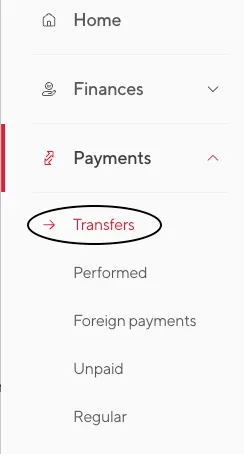
1. Sign into your online bank in a browser and click on Payments on the left side of the page. There you click on Transfers.
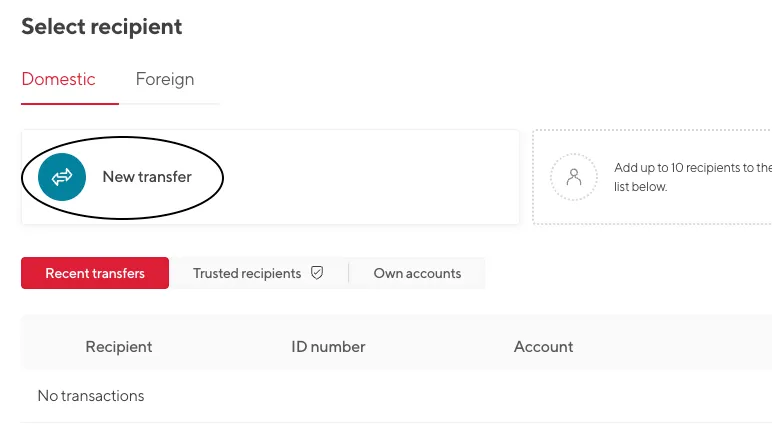
2. Under "Domestic" transfers, click on New transfer.
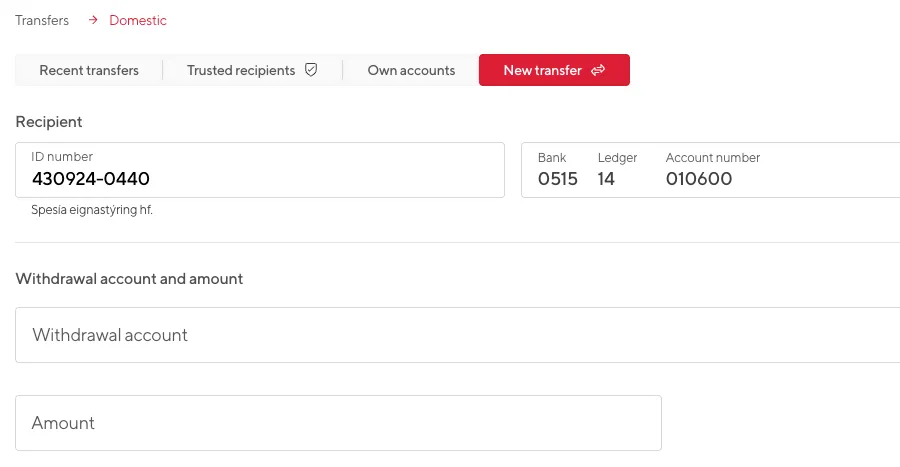
3. Here you can choose the amount and the withdrawal account on this recurring transfer like with a normal transfer.
The recipient should be: Spesía eignastýring hf.
ID number: 430924-0440
Account number: 0515-14-010600
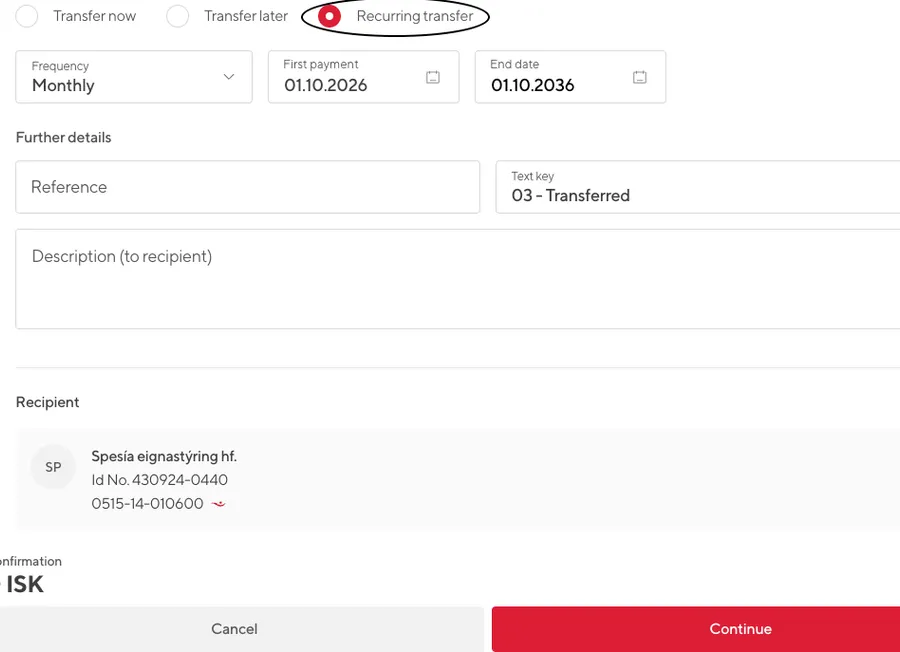
4. Next you click on „Recurring transfer“ at the bottom of the page.
Here you can choose a date of the first payment (the day of the month you want the recurring transfer to take place on) and whether it should be repeated weekly or monthly. You can also choose a date for the final payment, but it‘s not necessary if you want it to continue until you cancel.
Finally, click continue and confirm the transfer. That‘s it.