Landsbankinn - app

Written by
Embla Þórsdóttir
Published
Copy link
Written by
Embla Þórsdóttir
Published
Copy link
Landsbankinn has support for setting up monthly transfers both in their app and on the web. Here are instructions for the app:
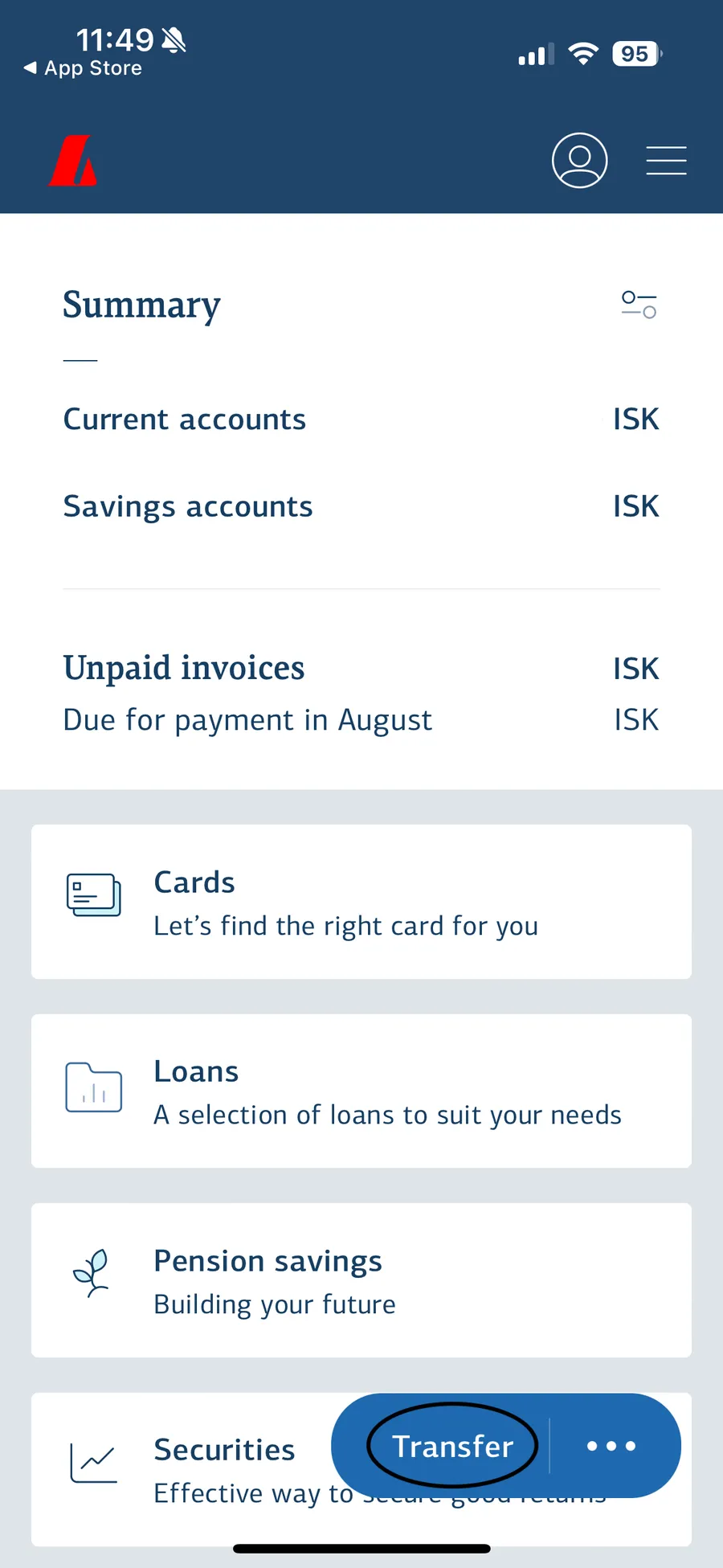
1. Open the Landsbankinn app and Click on Transfer at the bottom of the screen.
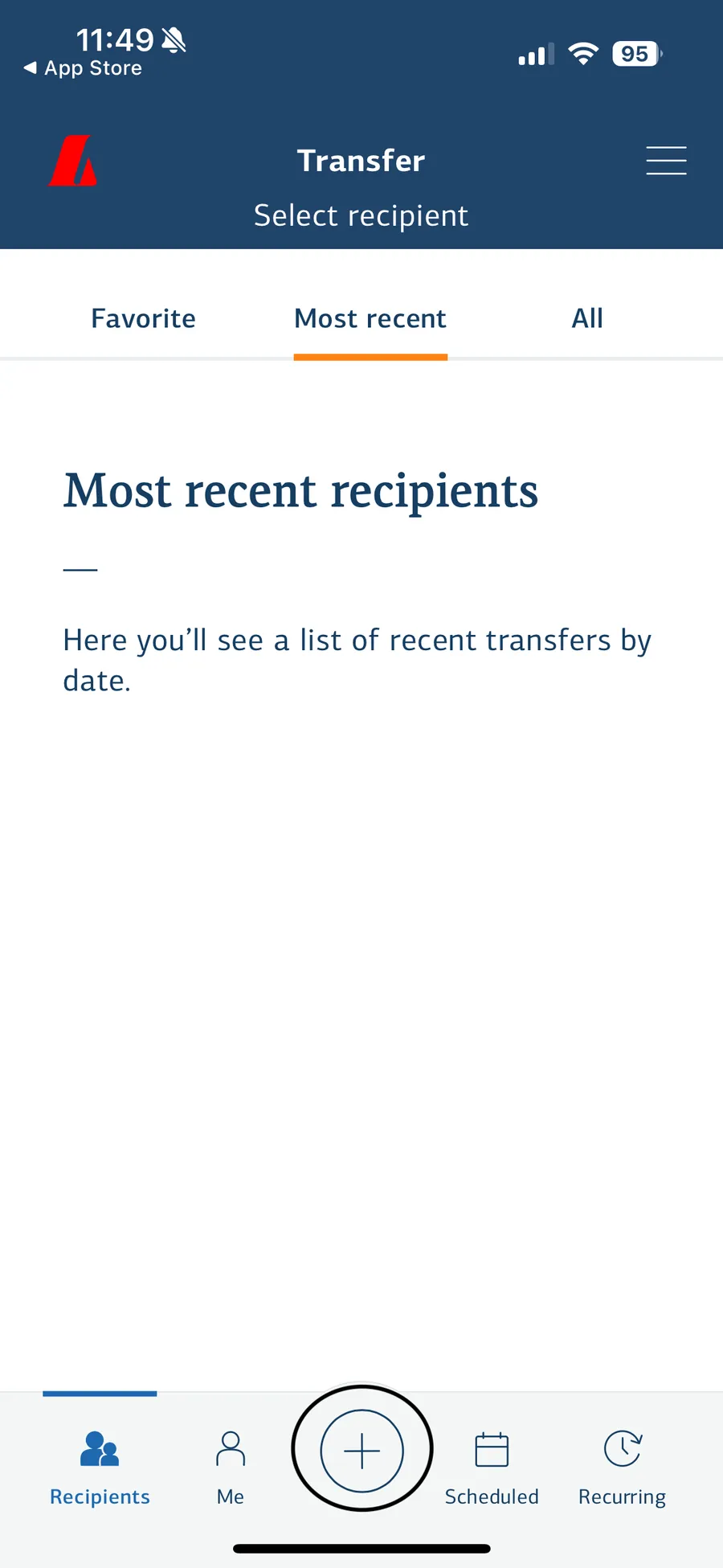
2. Press the plus (+) sign at the bottom of the screen.
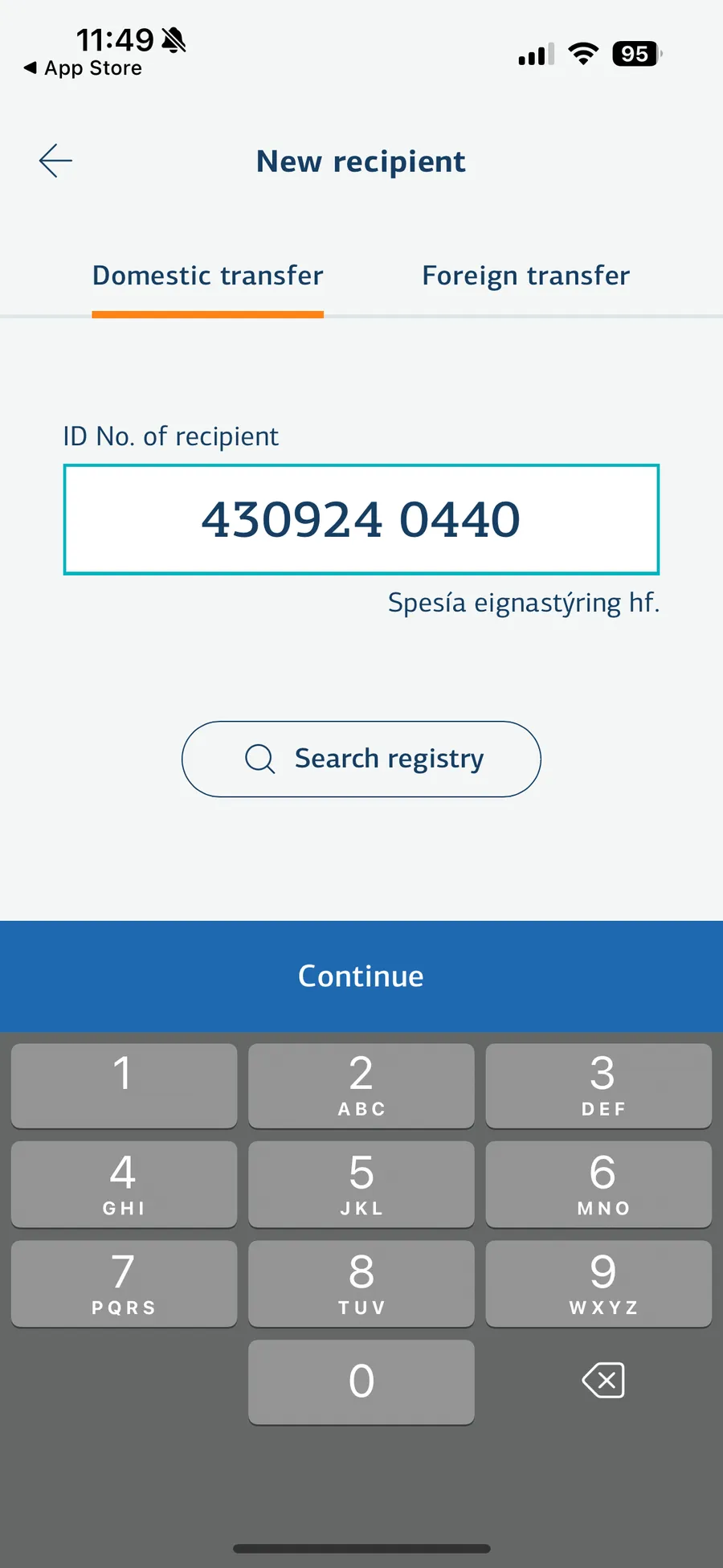
3. Next you enter Spesía‘s ID number: 4309240440 and click on Continue.
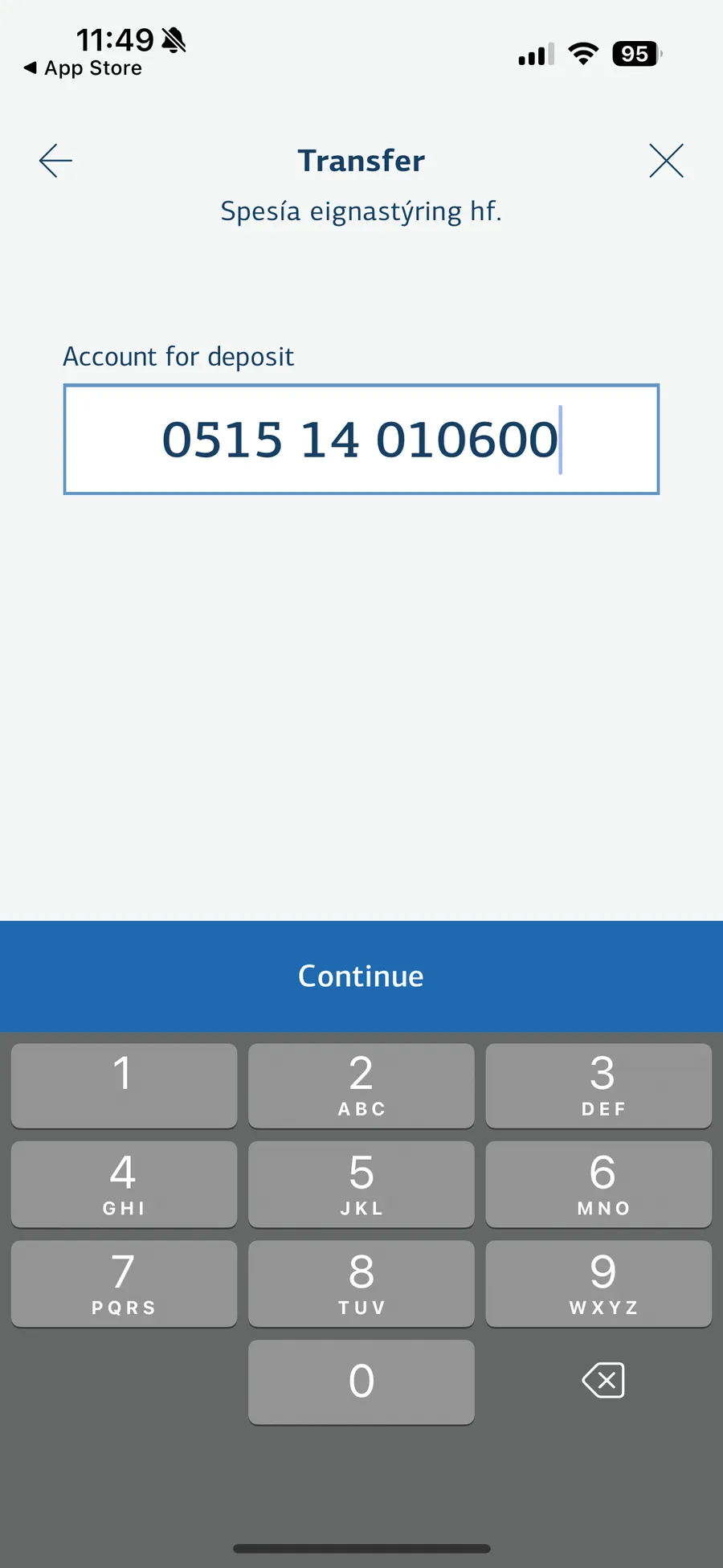
4. Then you enter Spesía‘s account number: 0515-14-010600 and click on Continue.
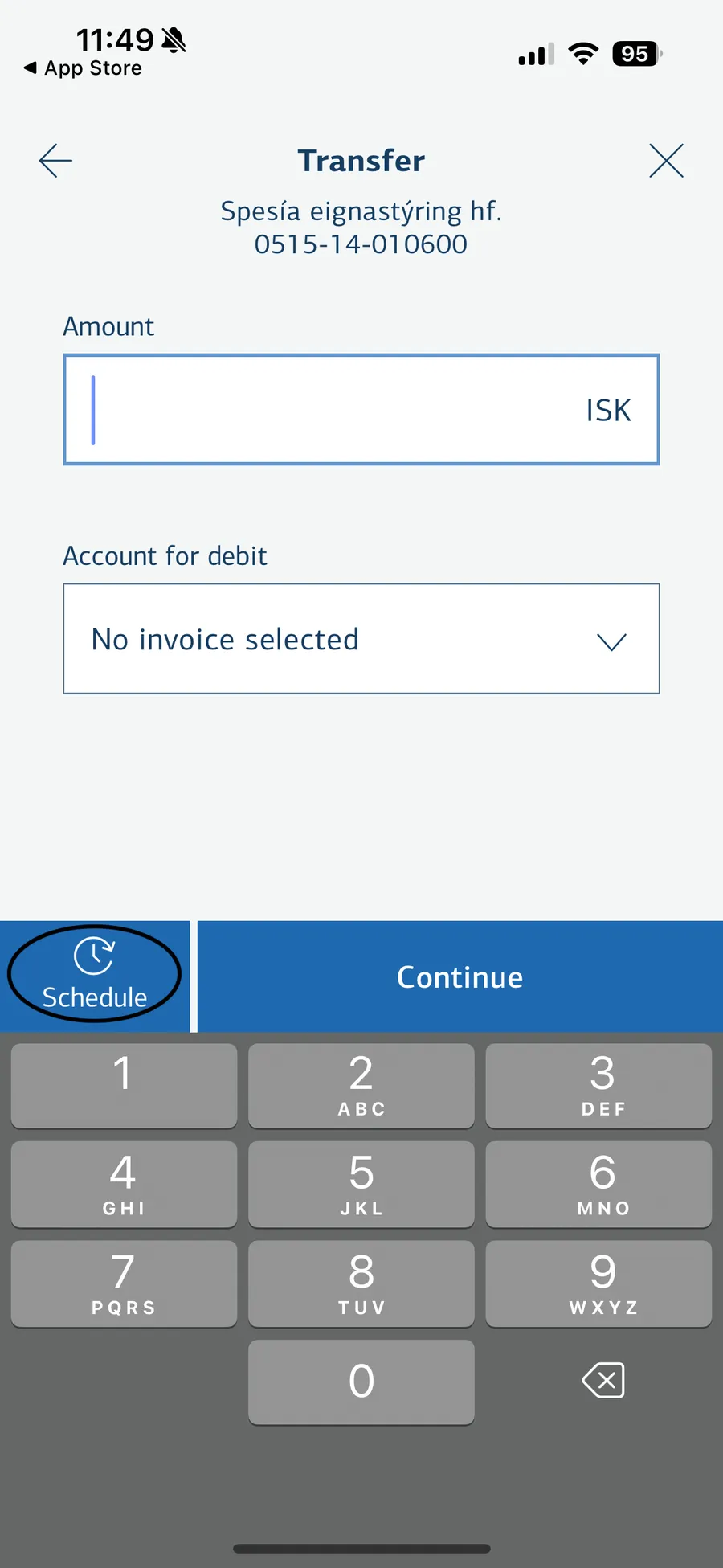
5. Next you enter in an amount and choose a withdrawal account for this recurring transfer. Then click on Schedule.
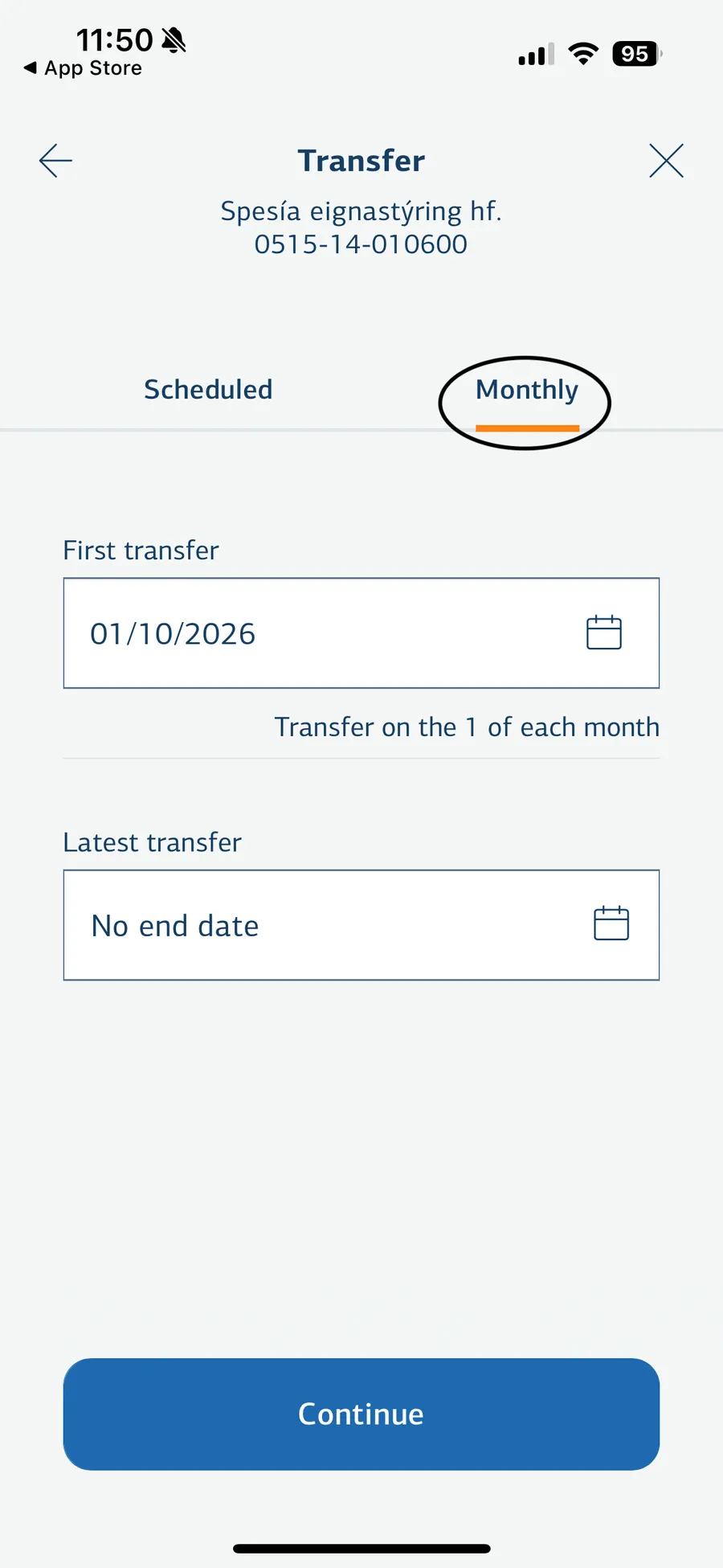
6. Here you choose Monthly and then you can choose the date of the first transfer. You can also specify a date when the latest transfer should occur if you want, but it's not required.
The first transfer is the day of month when the recurring transfer should take place. Latest transfer is if there should be any end date on the recurring transfer.
No end date means it continues every month until you cancel.
Next you choose Continue.
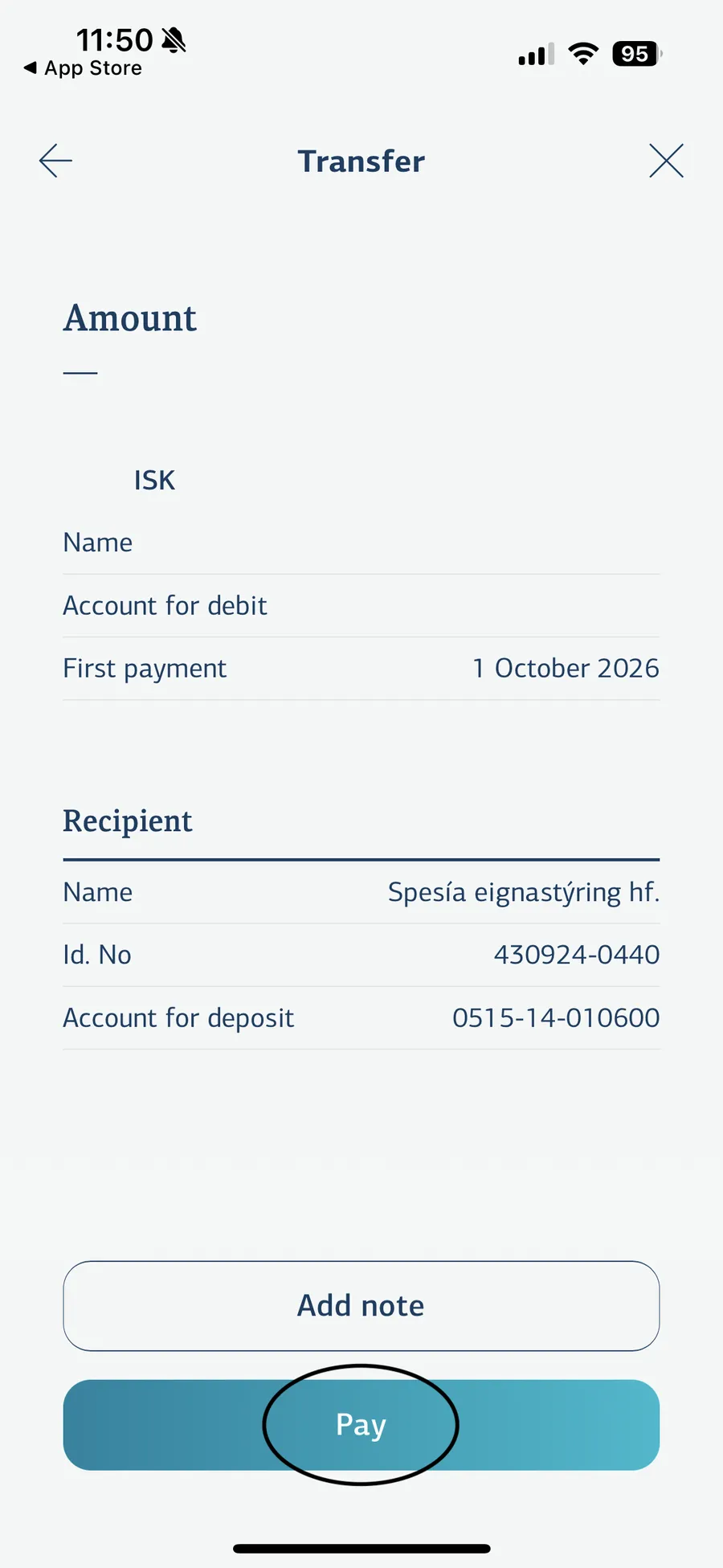
7. Finally, review if all the information is correct and then you click on Pay. That‘s it.